Using your Flatiron Meal Plan
Have a question about using your Flatiron Meal Plan that we did not address below? Please send us an email or give us a call at 303.415.0067.

Where can I pick up my Flatiron Meal Plan card?
You can pick up your Flatiron Meal Plan card at our office on the Hill. We are located at 1163 13th Street, right next door to The Sink, and current office hours are Monday-Friday, 10am-4pm, and Saturday and Sunday from 11am-3pm.
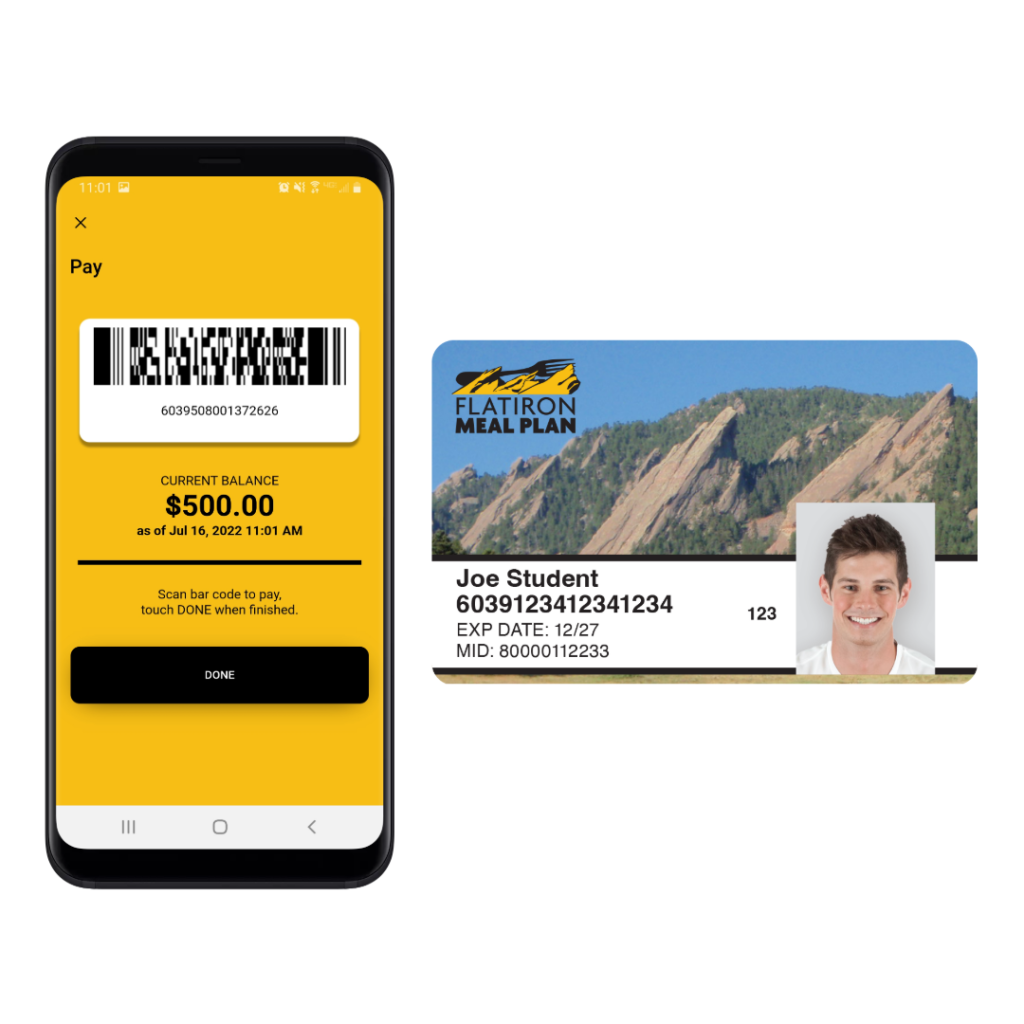
If I have the Flatiron Meal Plan app on my phone, do I still need to get the physical card?
We always recommend that students have the physical Flatiron Meal Plan card. When paying at sit-down restaurants with servers, it is easier to pay with the card than the app. Also, students tell us all the time that they like to have the card as backup in case their phone battery dies and they can’t load the app.
How do I pay with the Flatiron Meal Plan app?
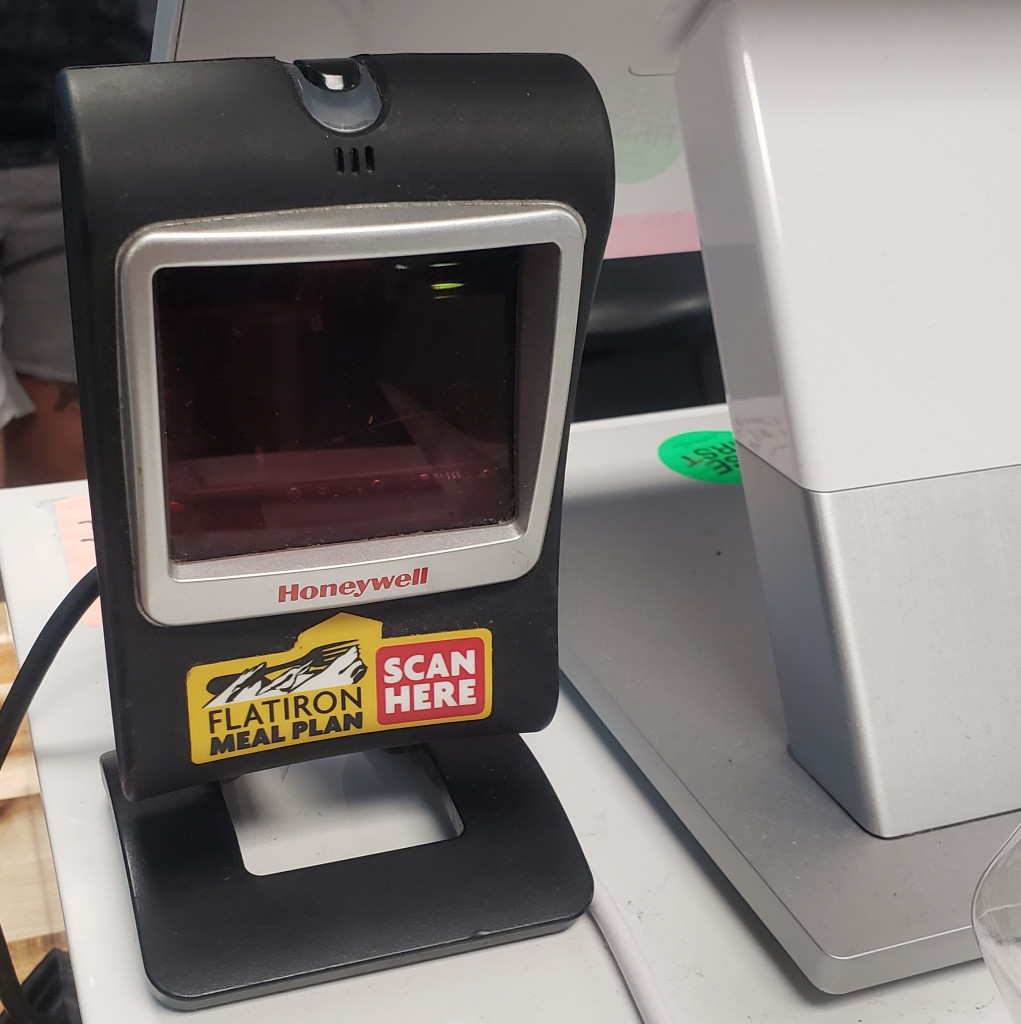
To pay with your phone using the Flatiron Meal Plan app, just open the app and press “Pay in Store” to load the barcode. If you have saved your Flatiron Meal Plan barcode to your Apple Wallet, you can also load your pass to bring up the barcode on your phone. Once your barcode is displayed on your phone’s screen, let the cashier know you’d like to pay with Flatiron Meal Plan and place the barcode in front of the Flatiron Meal Plan scanner until it beeps.

Where can I use my Flatiron Meal Plan?
Click here to view the most up to date list of participating merchants. The Flatiron Meal Plan can be used at nearly 100 restaurant locations, both on and off campus, and can also be used for groceries at the Safeway and Sprouts locations in Boulder. You can also now link your Flatiron Meal Plan to Grubhub to order pickup and delivery from 100’s of locations in and around Boulder.

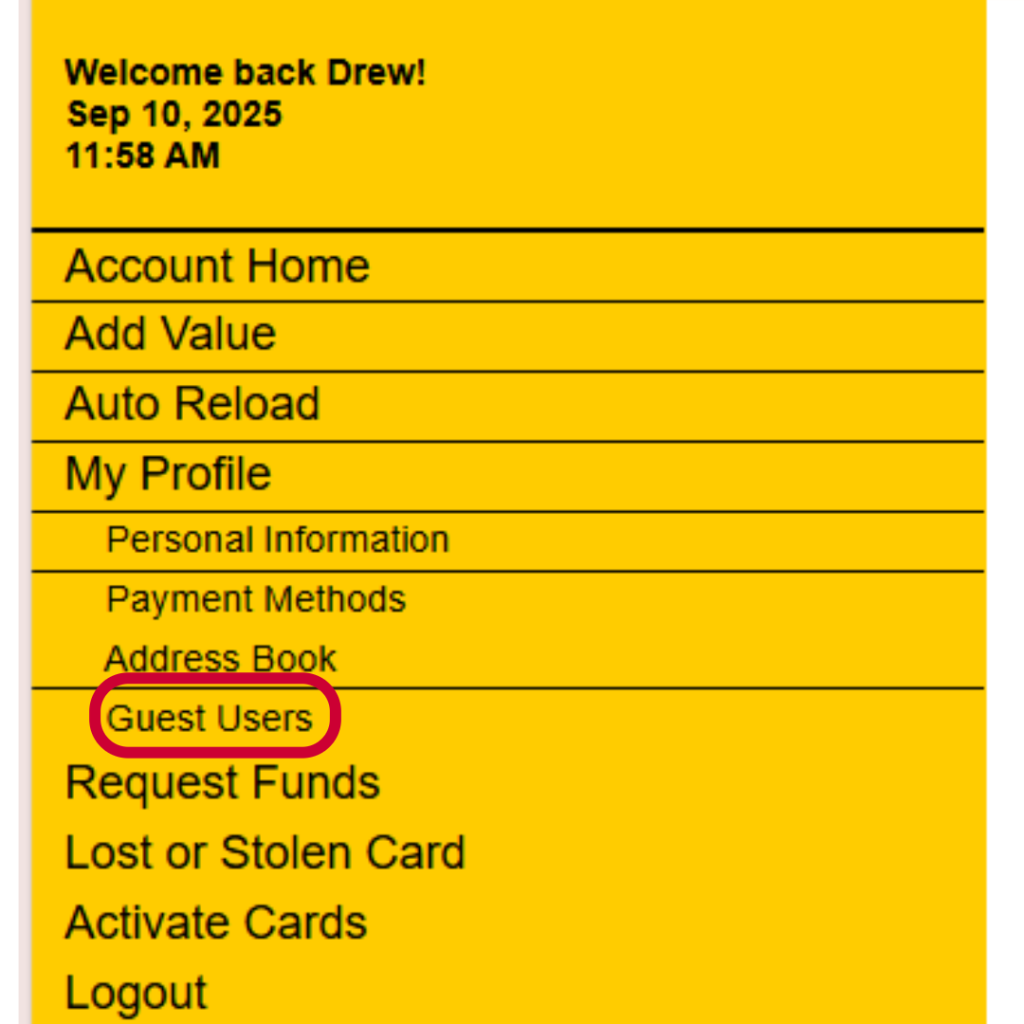
Can I add a second username & password to my account?
Yes, you can add multiple users to your Flatiron Meal Plan account. Just login to your account and then navigate to “My Profile” -> “Guest Users”. Please note – only the primary username and password can login to the Flatiron Meal Plan app. Guest user accounts are designed to only access the online cardholder account center.
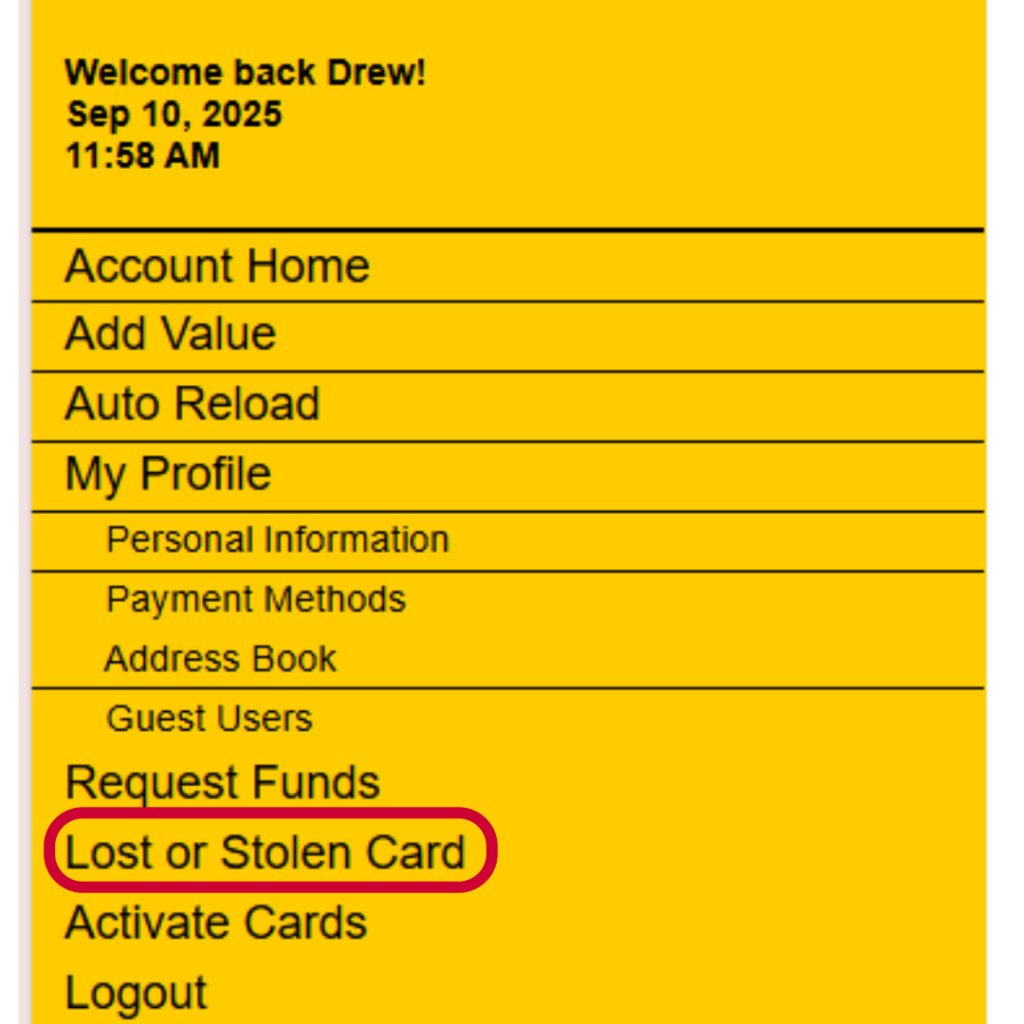
What should I do if I lose my card?
If you lose your Flatiron Meal Plan card you should immediately login to your account and deactivate the card. You can then stop by our office on the Hill, located at 1163 13th Street, and we can print you a new copy. There is no fee for a replacement card and your balance will just transfer to the new card.
If you had saved the Flatiron Meal Plan number from your lost card to your Apple wallet, you would want to delete the old number and then save your new card number after you receive your new Flatiron Meal Plan card.
How can I add funds to my Flatiron Meal Plan?
Online:
Click here to add value to your Flatiron Meal Plan using our secure online account center.
Don’t have your username & password? Use our quick add value feature to deposit funds to your meal plan.
Call Us:
Contact a customer service representative at 303.415.0067. Office hours are Monday-Friday 10AM-4PM.

Send us a Check:
Checks can be mailed to:
Flatiron Meal Plan
1163 13th Street, Unit A
Boulder, CO 80302
Checks should be made payable to Flatiron Meal Plan. Please include the Flatiron cardholder’s name in the memo section of the check.
How do I access my Flatiron Meal Plan coupons?
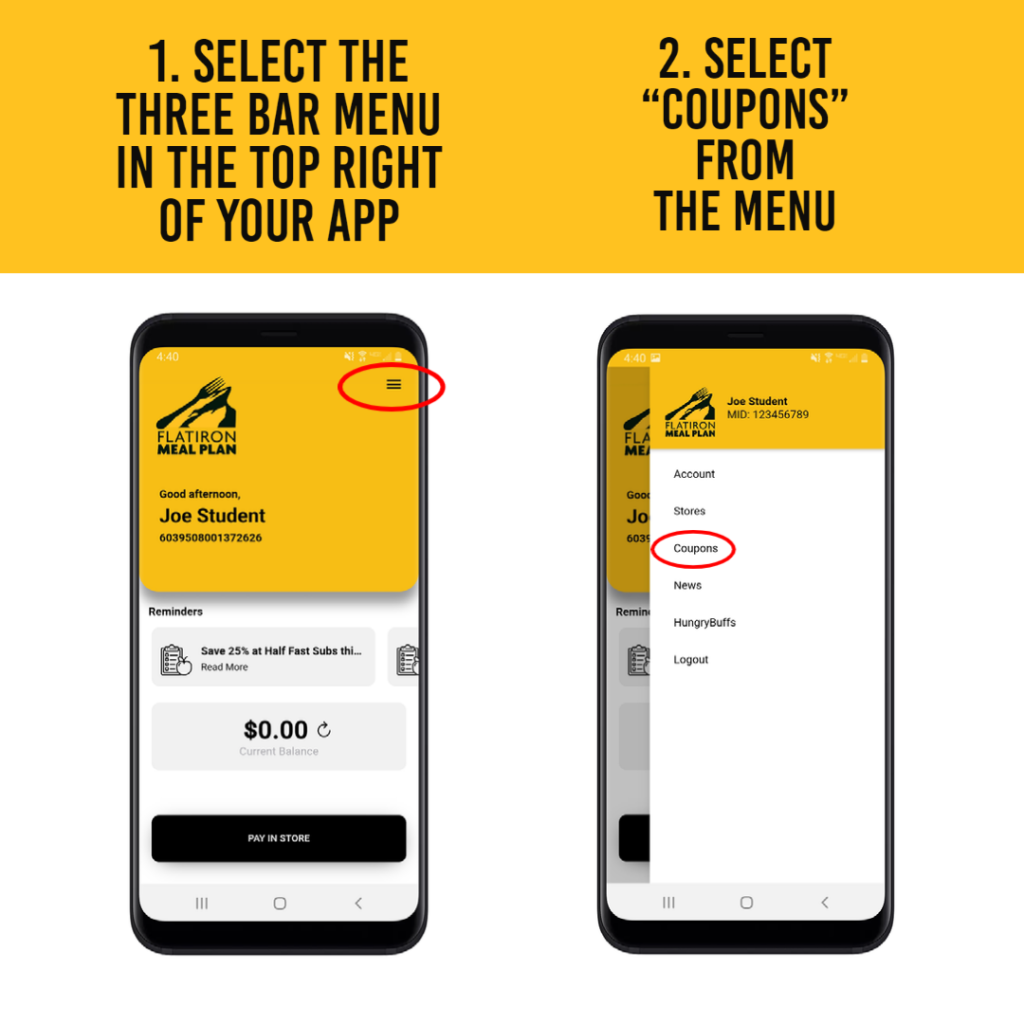
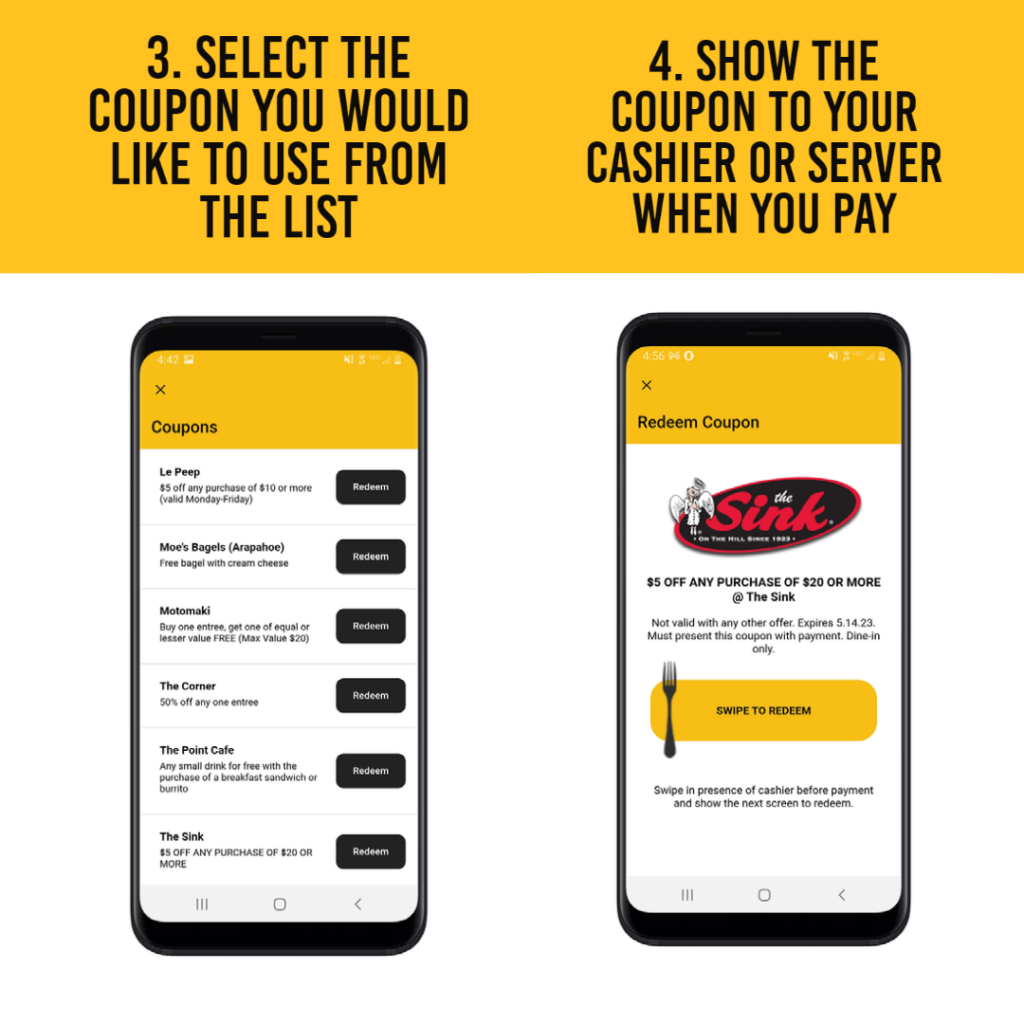
Fall Semester coupons can be accessed and redeemed in the Flatiron Meal Plan app. To access your coupons, click the three bar menu in the top right corner of the app and then select “Coupons” from the list (see screenshots below). Always show the coupon on your phone to the cashier before you swipe the fork to redeem so they can apply your discount.